
Install SSL Let's encript Certificate in Apache using Certbot (UBUNTU 20.04)

You can see how the recomendatioon from cert bot to install tour certificate in your server selecting the web server and
Please make sure that you server is accesible from internet to permit Let's encript process validate the DNS and AAA Host Name
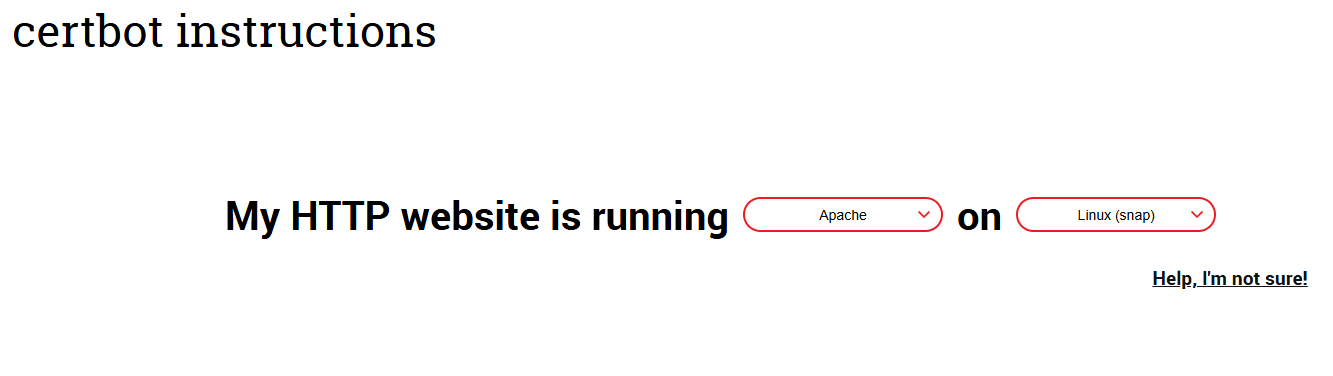
Install certbot in your Linux Server
apt install certbot python3-certbot-apache
We ran Certbot for Apache to generate the certificate for the domain.
Note: The domain must be recognizable on the internet and its address must be resolvable by a DNS server.
If the domain is on a local machine, port forwarding must be configured on the router, and it must be accessible from the internet via the domain name on port 80.
certbot --apache -d lemursolution.ddns.net // Si queremos mas dominios a la ves separamos por -d <nombre de dominio>
put in the email adress: lemursolution@gmail.com
- - - - - - - - - - - - - - - - - - - - - - - - - - - - - - - - - - - - - - - -
Please read the Terms of Service at
https://letsencrypt.org/documents/LE-SA-v1.6-August-18-2025.pdf. You must agree
in order to register with the ACME server at
https://acme-v02.api.letsencrypt.org/directory
- - - - - - - - - - - - - - - - - - - - - - - - - - - - - - - - - - - - - - - -
(A)gree/(C)ancel: A
- - - - - - - - - - - - - - - - - - - - - - - - - - - - - - - - - - - - - - - -
Would you be willing to share your email address with the Electronic Frontier
Foundation, a founding partner of the Let's Encrypt project and the non-profit
organization that develops Certbot? We'd like to send you email about our work
encrypting the web, EFF news, campaigns, and ways to support digital freedom.
- - - - - - - - - - - - - - - - - - - - - - - - - - - - - - - - - - - - - - - -
Please choose whether or not to redirect HTTP traffic to HTTPS, removing HTTP access.
- - - - - - - - - - - - - - - - - - - - - - - - - - - - - - - - - - - - - - - -
1: No redirect - Make no further changes to the webserver configuration.
2: Redirect - Make all requests redirect to secure HTTPS access. Choose this for
new sites, or if you're confident your site works on HTTPS. You can undo this
change by editing your web server's configuration.
- - - - - - - - - - - - - - - - - - - - - - - - - - - - - - - - - - - - - - - -
Select the appropriate number [1-2] then [enter] (press 'c' to cancel): 2
If response is No ypou can after reconfigurate the settin of your domain in the /etc/apache/sites-available/000-default.conf
Finally Your certificate and chain have been saved at:
/etc/letsencrypt/live/lemursolution.ddns.net/fullchain.pem
Your key file has been saved at:
/etc/letsencrypt/live/lemursolution.ddns.net/privkey.pem
Your cert will expire on 2026-07-29. To obtain a new or tweaked
version of this certificate in the future, simply run certbot again
with the "certonly" option. To non-interactively renew *all* of
your certificates, run "certbot renew"
We verified that the certbot is running to automatically renew the certificate.
systemctl status certbot.timer
The Response:
certbot.timer - Run certbot twice daily
Loaded: loaded (/lib/systemd/system/certbot.timer; enabled; vendor preset: enabled)
Active: active (waiting) since Thu 2026-04-30 22:51:53 CEST; 51min ago
Trigger: Fri 2026-05-01 10:54:32 CEST; 11h left
Triggers: ● certbot.service
abr 30 22:51:53 ZEUS-UBUNTU systemd[1]: Started Run certbot twice daily.
Bellow is an example of configuration the webpage using ssl with generated certificate in 000-default.conf file
<VirtualHost *.443>
        DocumentRoot /var/www/lemursolution
        ServerName lemursolution.ddns.net
		ServerAlias lemursolution.ddns.net
		SSLCertificateFile /etc/letsencrypt/live/lemursolution.ddns.net/fullchain.pem
		SSLCertificateKeyFile /etc/letsencrypt/live/lemursolution.ddns.net/privkey.pem
		Include /etc/letsencrypt/options-ssl-apache.conf
		ServerAdmin lemursolution@gmail.com
		ErrorLog /var/log/apache2/lemursolution.ddns.net.log
        <Directory "/var/www/lemursolution.ddns.net">
                Options FollowSymLinks Indexes
                AllowOverride All
                Order deny,allow
                Allow from all
        </Directory>
</VirtualHost>